Visibility metrics built for client reporting
Traqer reports AI brand visibility across ChatGPT, Perplexity, Gemini, Google AI Overviews, Google AI Mode, and Claude. Every metric is broken out per model rather than averaged into a single figure, and the headline metrics are built so they don't fall when you expand what you track.
Three visibility metrics
Many AI tracking tools report a single visibility percentage. The problem is structural: that number drops the moment you add topics or prompts where you don't yet have visibility. A team tracking ambitiously looks like it's declining. Teams end up tracking less to protect the number, and any client who notices the drop needs an explanation. Traqer uses three metrics instead of one.
LLM Visibility %
The percentage of tracked prompts where your brand appears, reported separately per model. This is the metric most familiar to anyone coming from another tool. It can decrease when you add new topics you're not yet visible for, so it's most useful as a per-model diagnostic rather than a headline number.
LLM Visibility Count
The raw number of prompts where your brand appears, per model. Because it's a count rather than a ratio, it can only go up as visibility genuinely improves. Adding new prompts you haven't won yet doesn't move it. It's the clearest indicator of whether a brand is appearing in more places over time.
Topic Visibility
Groups your topics into three buckets: High (over 50% of prompts), Some (over 0%), and Low (0%). Like the count, it can't be pulled down by adding ambitious new topics. It shows at a glance which areas a brand owns and which need work, in terms a client or executive understands without needing to interpret raw numbers.
Reporting that holds up in front of clients
Mentions and citations, separately
Traqer tracks brand mentions and source citations as two distinct things and lets you toggle between them across every view. A brand mention is when your company is named in the recommendation. A citation is when your URL appears as a source link. Most users don't click citation links inside LLM responses. What registers commercially is whether your brand is named in the answer to their query.
If a client is being cited frequently but rarely mentioned, the issue is brand visibility. If they're mentioned but rarely cited, the issue is content coverage. Those diagnoses point to different work, and a combined score hides which situation you're in. The toggle makes the distinction visible across all reporting views.
Date comparison
Every brand retains its full run history. Using the date picker, you can select any two dates and compare them side by side: how each model's visibility moved between the two points, which topics gained or lost ground, and which specific prompts changed.
At the brand level, date comparison shows how visibility shifted per model across the reporting period. At the topic level, it shows which topics moved and by how much. That turns a client review from a static dashboard into a concrete before-and-after tied to the work done in between.
Per-model breakdown
Traqer never blends visibility across models into a single figure. ChatGPT, Perplexity, Gemini, Google AI Overviews, Google AI Mode, and Claude are reported separately throughout.
Models behave differently. A brand with strong traditional SEO tends to show higher visibility on Google AI Overviews and AI Mode, which draw on indexed content, than on ChatGPT, which relies more on training data. Averaging across both hides that distinction. Per-model reporting shows where a brand is strong, where it's weak, and which platforms need the most attention.
White label reports
Reports can be presented under your agency's brand rather than Traqer's. The report a client sees looks like it came from you. This keeps the focus on the work and the relationship rather than the tooling, and it lets AI visibility reporting sit alongside the rest of your retainer deliverables without visual inconsistency.
User roles and client logins
Every plan includes unlimited users across four role levels — adding a client login or a new team member costs nothing.
Viewer
Can see a brand's data but cannot edit topics or prompts. The right access level for most clients: they can check progress at any time without being able to change what's tracked.
Contributor
Can edit prompts within assigned brands.
Team Member
Can see all brands and add new ones, but cannot manage users or billing.
Admin
Full access, including user management and billing.
How these features help agencies
The three visibility metrics give you numbers that are safe to put in front of a client. LLM Visibility Count and Topic Visibility move in one direction, which means expanding tracking for an ambitious client doesn't create a reporting problem.
Date comparison gives every retainer a story of progress. You can show which topics moved between two specific dates and connect the movement to content shipped or mentions earned during that period.
White label reports and client Viewer logins mean the reporting layer works the way an agency needs it to: polished deliverables under your brand, and clients who can check in without being able to interfere with the setup.
For more on how agencies use Traqer, see our piece on AI visibility tracking tools for agencies.
How it fits into the rest of Traqer
Reporting draws on the data that topic-based tracking produces — the metrics, date comparisons, and per-model breakdowns all draw on the weekly run history built up from tracked topics and prompts.
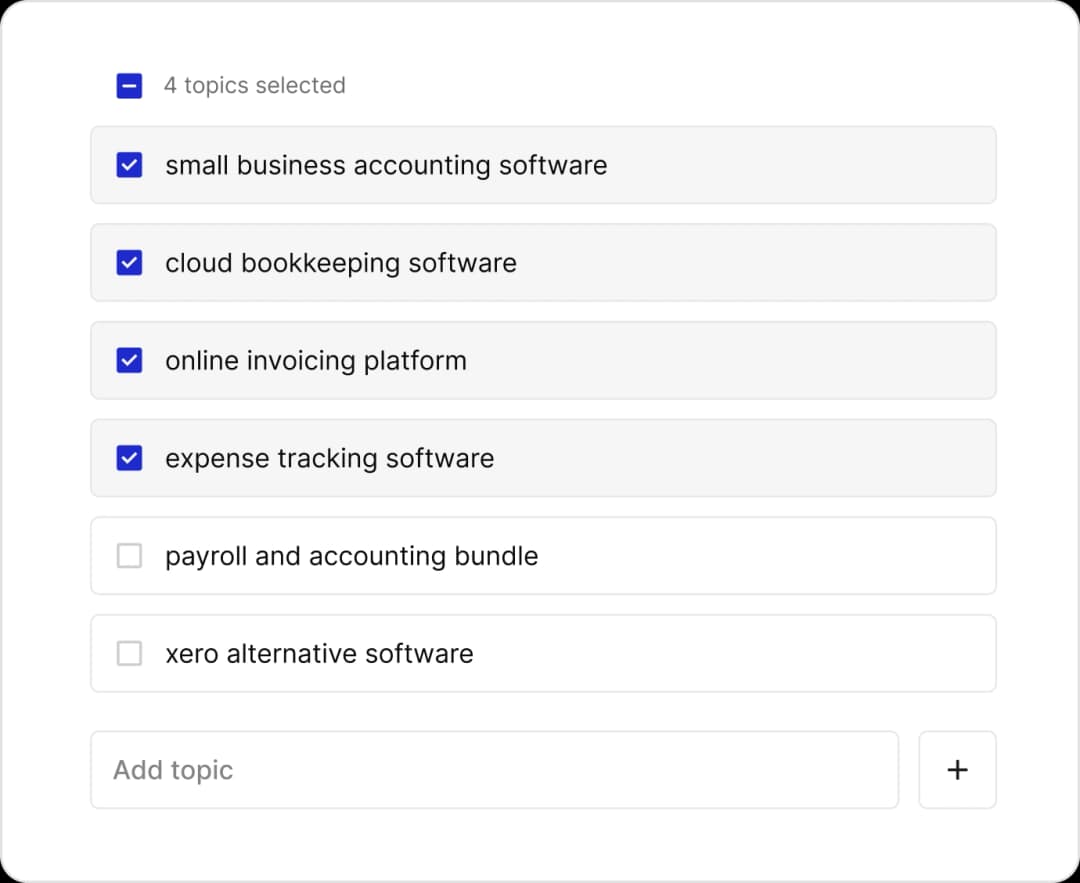
Topic-based tracking
Where the measurement starts: topics cluster related prompts into buying-intent areas, and every reporting metric draws on the weekly run history they produce.
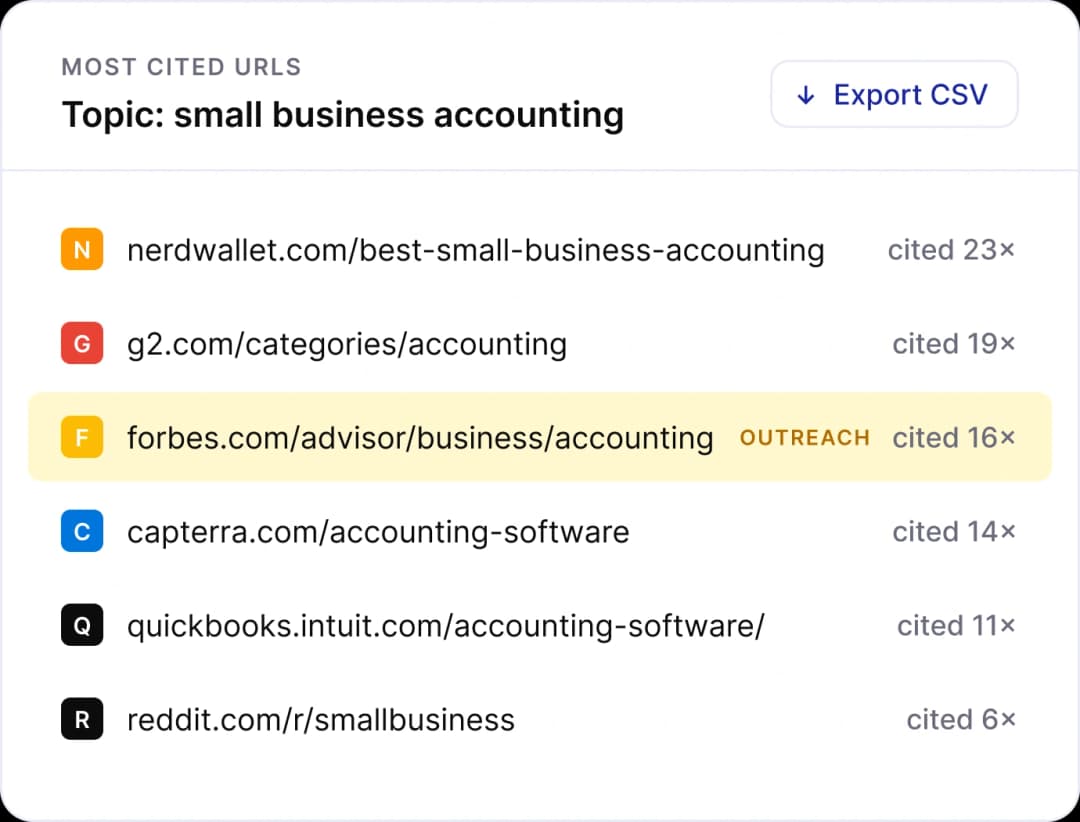
Analyze & Improve
Takes the reporting view further: for any topic, it shows which brands are appearing most, which URLs are being cited repeatedly, and what content to produce next.
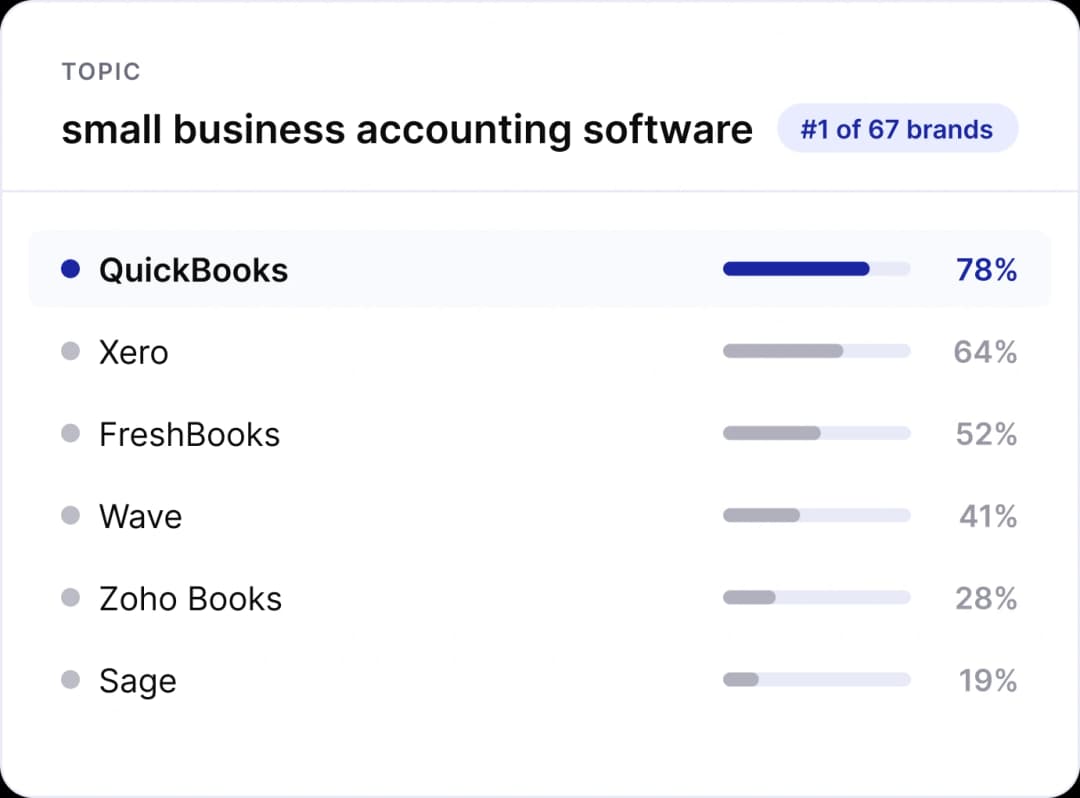
Competitor tracking
Adds a competitive layer to the same data, showing how a brand's visibility compares to a defined set of rivals across topics and models.
Reporting your clients can read at a glance
Track ChatGPT, Perplexity, Gemini, Google AI Overviews, Google AI Mode, and Claude. Unlimited brands. Unlimited users. Starting at $25/month.